HomeLivingWriter Help and Support - ArticleHow to update your payment information

How to update your payment information

How Can We Help?

How to update your payment information

1 Min Read

To update your payment information, go to Livingwriter Editor’s screen,

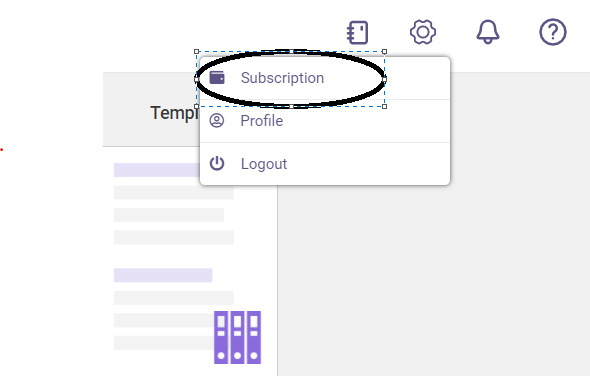
Click on the gear icon > Select Subscription
image

On your Subscription page, click on Update your Stripe payment method
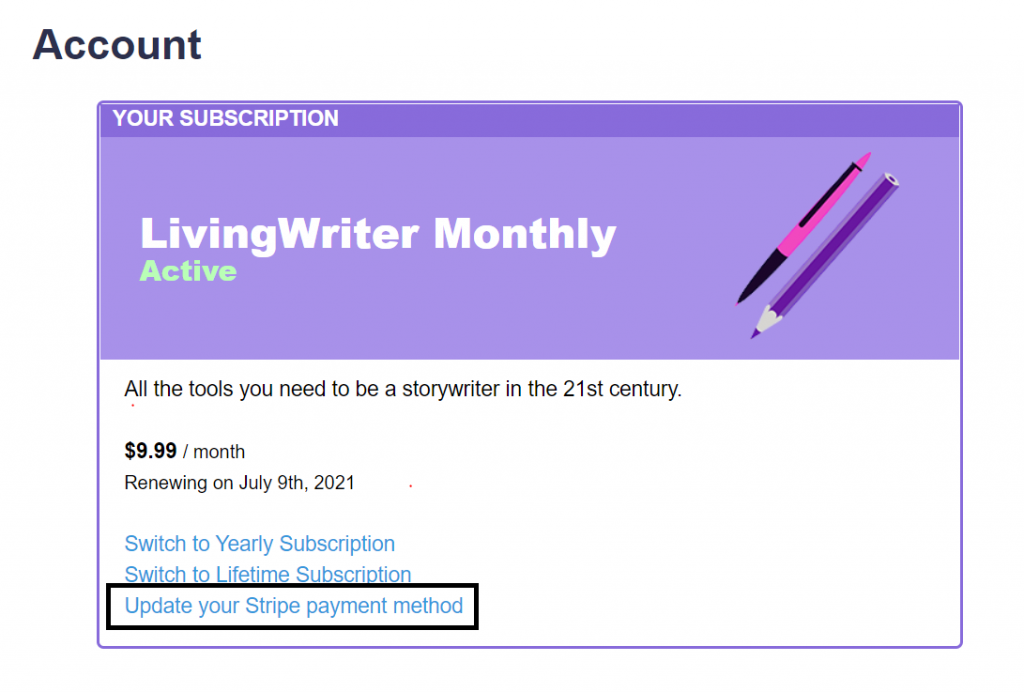
image 1

Fill out your payment information then click update payment method
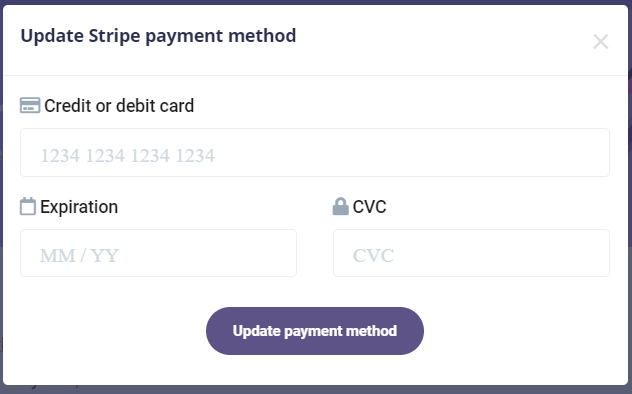
image 2
Table of Contents

At LivingWriter, we believe that great writing is about more than just putting words on a page – it’s about crafting a story, screenplay, or research paper that resonates with your readers.

PRODUCT
LEGAL
FOLLOW US